
You can view information pertaining to patients who refer new patients to your practice. This information includes the referral source's name, address, and phone number. You cannot edit this information, but you can edit the date you recorded the referral. Dentrix also tallies the number of referrals that you have received from the referral source (patient).
To edit referred by patient information
1. With a patient selected, in the Family File window, double-click the Referred By card.
The Patient Referrals dialog box for the selected patient appears.
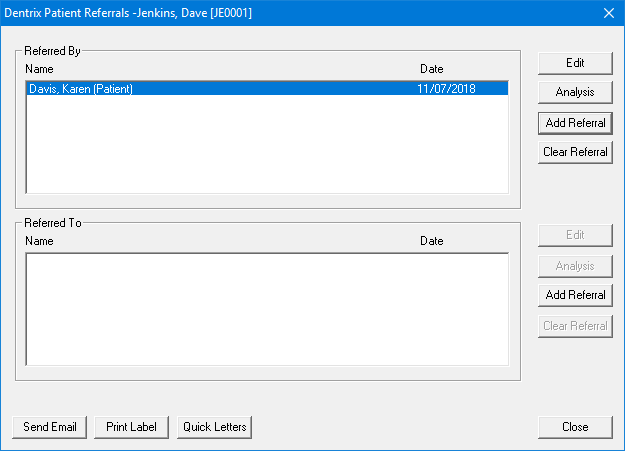
2. Under Referred By, select the patient who made the referral, and click Edit.
The Referred By dialog box appears.
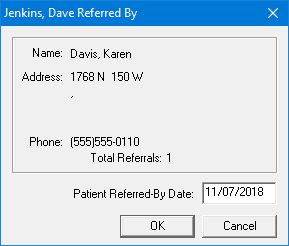
3. Change the Patient Referred-By Date, and then click OK.