
You can easily change a patient's employer in the Family File.
To change a patient's employer
1. Select a patient in the Family File.
2. Double-click the Employer block.
The Employer Information dialog box appears.
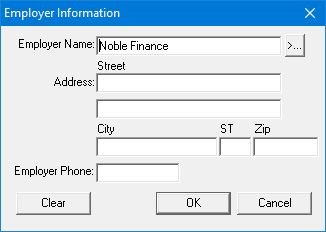
3. Click Clear, and then click the Employer Name search button.
The Select Employer dialog box appears.
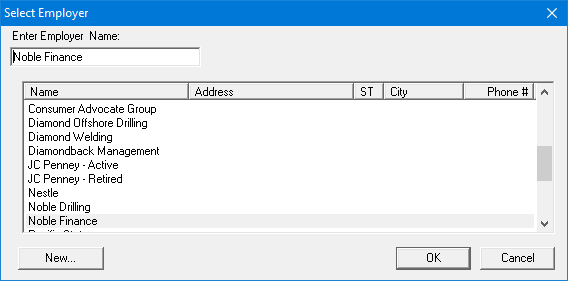
4. Select the patient's new employer, and then click OK.
Note: If the patient's new employer does not appear in the list, click Cancel and from the Employer Information dialog box, type the employer's information in the appropriate fields.