
The Practice Statistics Report allows you to review statistical information about your patients.
 |
Why: |
To view patient demographics and to assist you in developing strategic business plans. |
When: |
As needed. |




In the Office Manager from the Reports menu, point to Management, and then click Practice Statistics Report. For step-by-step instructions on how to run this report, see the Dentrix Help (in the Office Manager from the Help menu, click Contents).
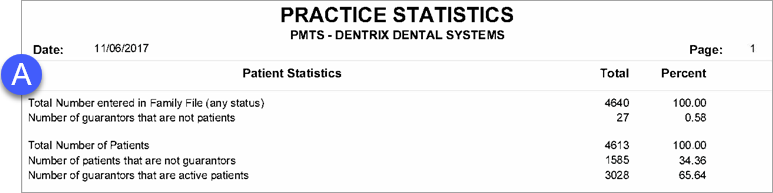
A. Patient Statistics
Total number of patients
Number of guarantors that are not patients
Number of guarantors/non-guarantors
Number of male/female patients
Number of married/single/child/other patients
Break down of patients by insurance status
B. Age Statistics – Breaks down patients by age group.
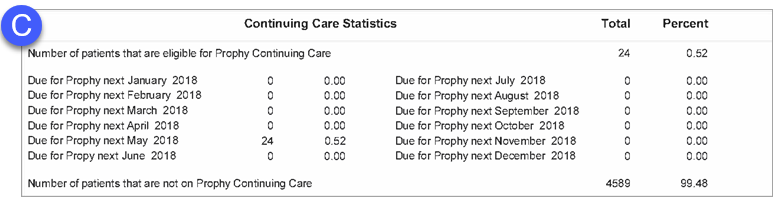
C. Continuing Care Statistics – Breaks down the number of patients due for prophy in the next 12 months. This section also lists the number of patients not on Prophy Continuing Care.
D. New Patients – Breaks down the number of new patients entered in the Family File in the past 12 months.
E. Provider Statistics – Breaks down the number of patients that prefer each provider.
F. Patient by Zip Code Statistics – Breaks down patients by ZIP Code.