
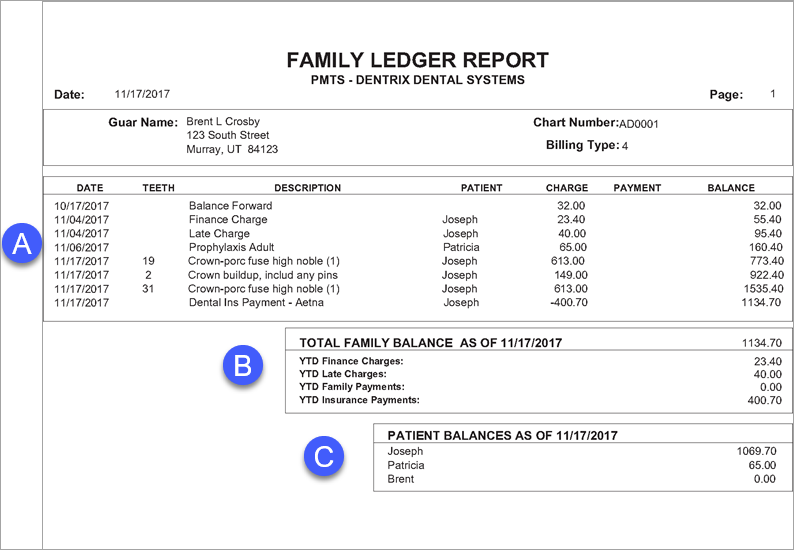
The Family Ledger Report displays transactions posted for a family. Depending on report settings, the current balance of each patient in the family is also displayed on the report.
 |
Why: |
To provide a family with a record of their transactions. |
When: |
As needed. |
From the Office Manager, from the Reports menu, point to Ledger, and then click Family Ledger Report. For step-by-step instructions on how to run this report, see the Dentrix Help (in the Office Manager, from the Help menu, click Contents).
A. Family History – Displays all financial transactions posted to the Ledger for all family members.
B. Family Totals – Displays year-to-date totals for the family.
C. Individual Balances – If you select List Individual Patient Balances for Family when setting options for this report, the current balance of each family member appears on the report.