
The Adjustment Summary Report displays adjustment totals for a selected date range. Unlike the Practice Analysis – Adjustment Summary Report, this report shows provider and year-to-date totals.
|
Why: |
To view adjustment totals by provider and to view year-to-date adjustment totals. |
When: |
Yearly and/or as needed. |
In the Office Manager, from the Analysis menu, click Dentrix Reports. Under Reports in the Dentrix Reports window, double-click Adjustment Summary Report. (For step-by-step instructions on how to run this report, see the Dentrix Help (in any Dentrix module, from the Help menu, click Contents).
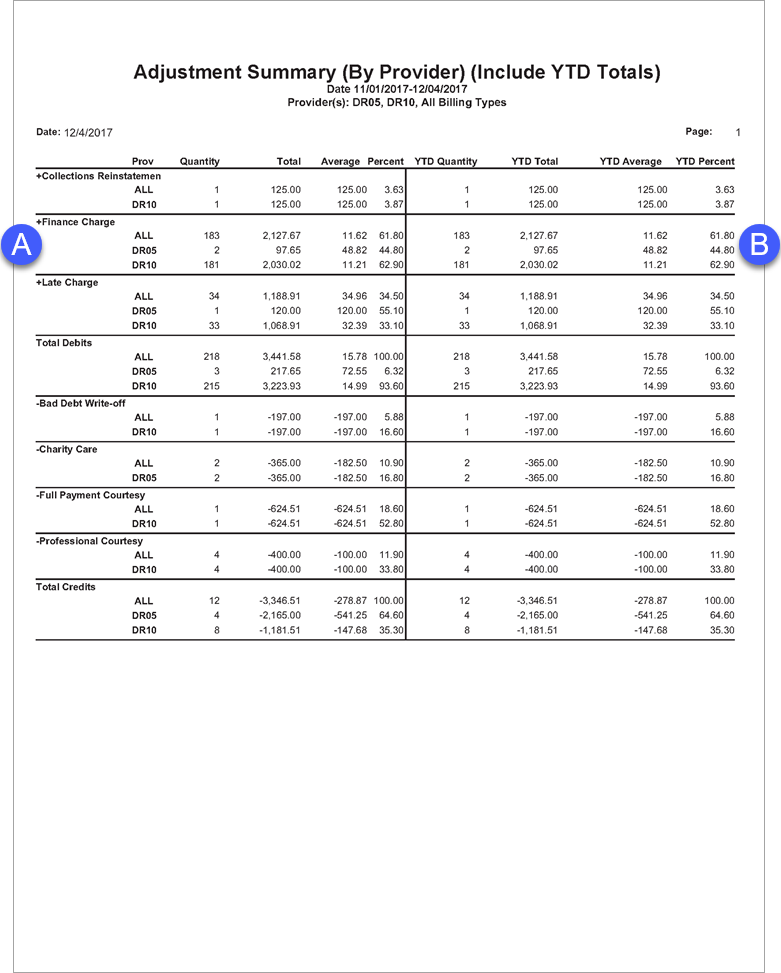
A. Adjustment Totals – The quantity, total, and percentage (adjustment total divided by the combined total of all adjustments in the same category).
Note: There are four adjustment categories: credit adjustments, debit adjustments, finance charges, and late charges.
B. Year-to-date Totals – If you select Include YTD Totals when setting options for this report, the year-to-date quantity, total, average, and adjustment percent (the year-to-date adjustment total divided by the combined year-to-date total of all adjustments in the same category) appear on the report.
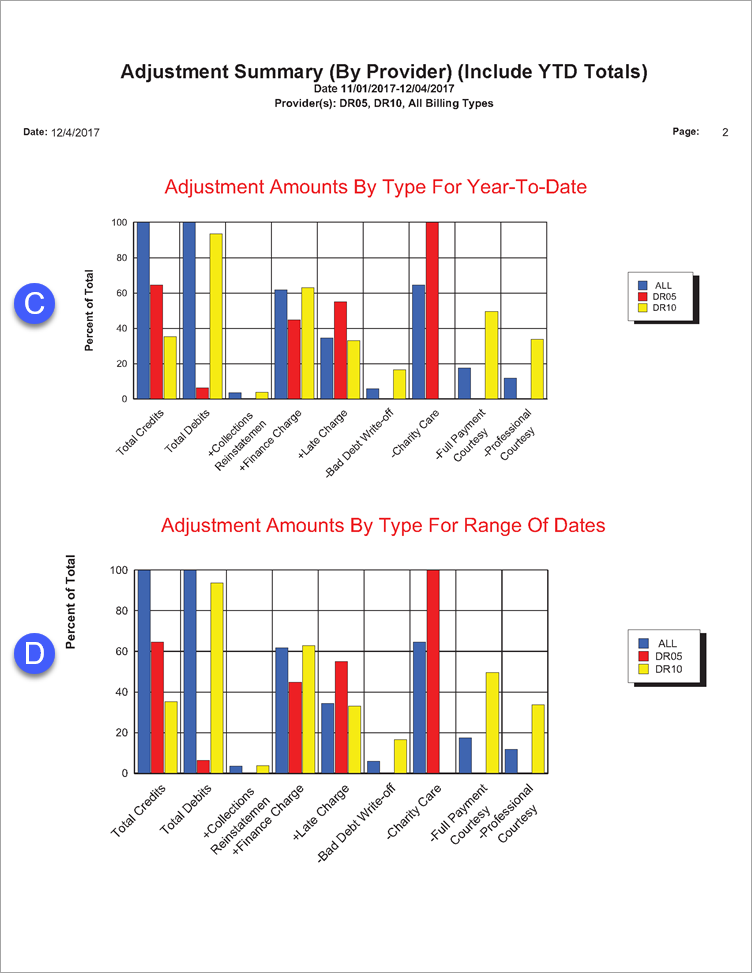
C. Adjustments Amounts By Type For Year-to-date – If you select Include Graph/Chart and Include YTD Totals when setting options for this report, a graphical representation of the Year-to-date Totals (letter B) appears on the report.
D. Adjustments Amounts By Type For Range Of Dates – If you select Include Graph/Chart when setting options for this report, a graphical representation of the Adjustment Totals (letter A) appears on the report.
