Once the KaVo devices integration is functional, you can test it by acquiring a test image using Dentrix Imaging.
To test KaVo device integration
1. Open Dentrix Imaging, and then click the Acquire tab.
2. In the Standard list, click the desired exam type:
Panoramic Image –
Cephalometric Image –
CBCT Volume –
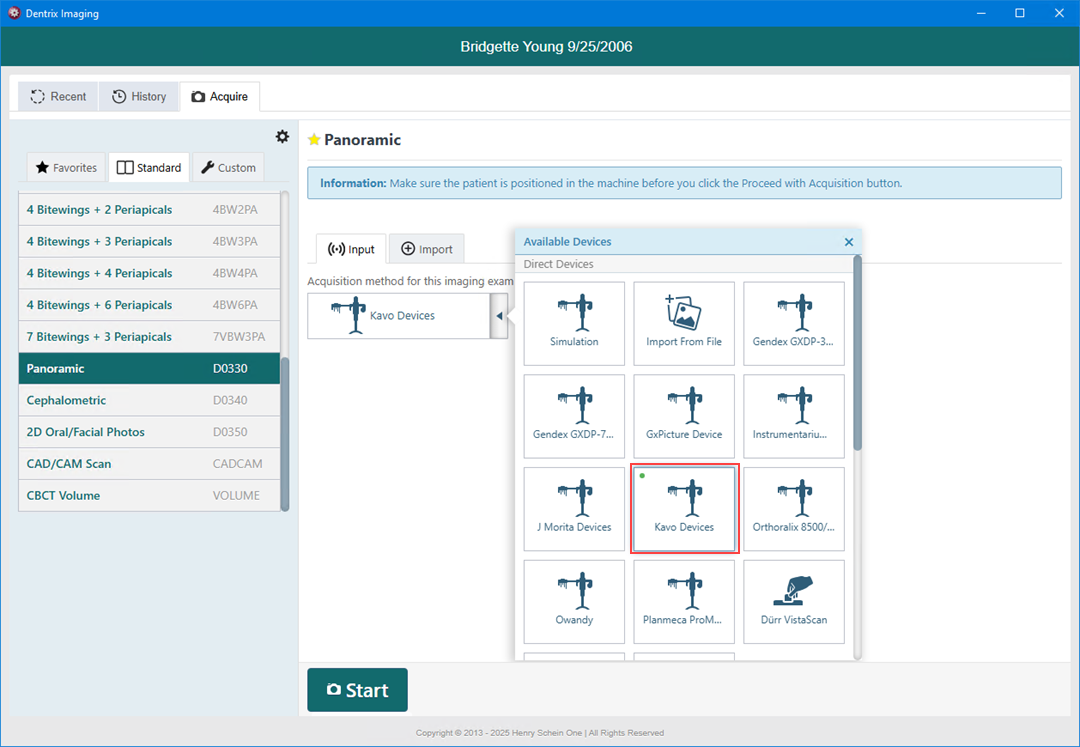
3. Click Kavo Devices.
4. Click Start.
The KaVo Driver Dashboard appears.
Note: Some devices open a separate window to acquire images.
5. When the acquisition is complete, click Return All to transfer the image to Dentrix Imaging.